

How to Edit Text in a JPEG (and Why It Fights Back)
A JPEG has nowhere to store a letter or a font. Everything you edit is done to the pixels.
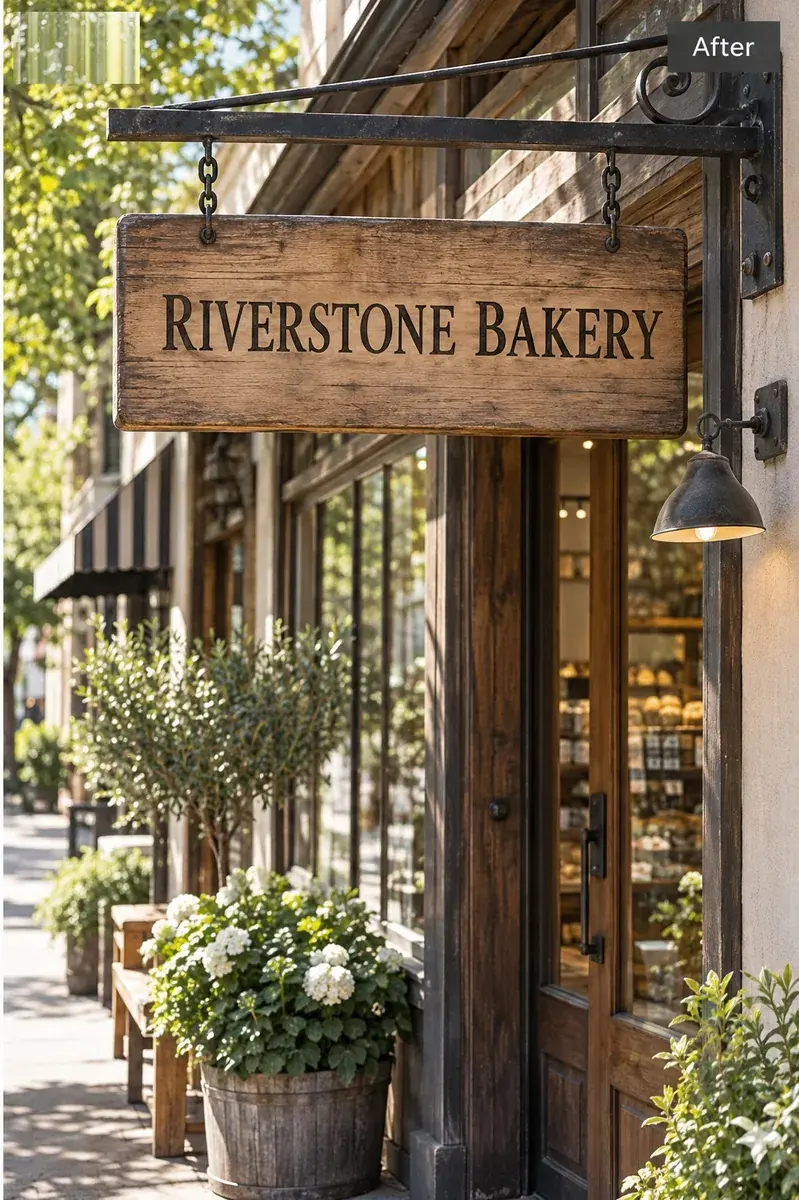 After
After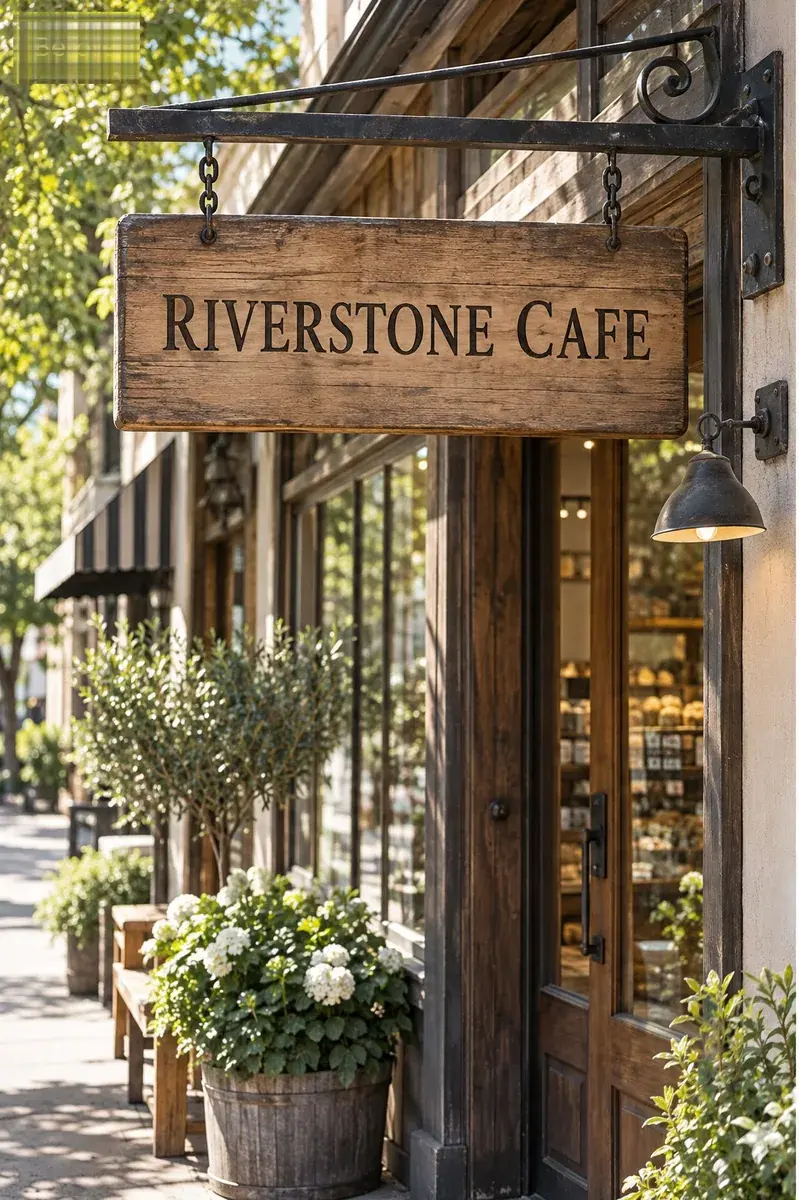 Before
Replace existing text
Your original image stays untouched.
Generate without signing in. A Google sign-in is only needed to download the file.
Please do not upload ID cards, passports, bank statements, official documents or anything intended to mislead someone.
- First edit free
- Preview before download
- JPG, PNG, and WebP
How-to10 min read
Quick answer
To edit text in a JPEG, treat the letters as shapes rather than words: type the current wording exactly as it appears, type the replacement exactly as it should read, and let the tool redraw that area to match the surrounding lettering. Nothing else in the file changes. If you need the text to be editable again in a design app, the JPEG has to be rebuilt from a source file - that is a different job and no editor can do it for you.
Why a JPEG has no text layer
JPEG is an image compression format, not a document format. It stores a grid of colour values that have been transformed, quantised and entropy-coded. There is no channel for a string, a font name, a point size or a kerning pair, so when you open a JPEG there is nothing to double-click. The letters are a pattern of slightly wrong pixels that your eye reads as a word.
That single fact drives everything else in this article. When the words are pixels, changing a word means replacing the pixels that form it, which raises a question a text layer never raises: what did the original lettering look like, exactly, and can the replacement be made indistinguishable?
The three things JPEG did to your text before you opened it
Even a high-quality JPEG has already damaged the lettering. Understanding how helps you predict which edits will come out clean and which will need a second attempt.
- Block quantisation. The image is split into 8 by 8 pixel blocks, each converted to frequencies and then rounded down in precision. Sharp edges - and text is almost nothing but sharp edges - lose the most. At low quality settings, blocks around a letter become visible as faint squares.
- Ringing around high-contrast edges. Text on flat colour is the worst case for the encoder: one hard boundary, no gradual transition. The result is a light halo or a stair-step edge, sometimes called mosquito noise, hugging the strokes. Zoom in on black text on white in any JPEG and you will see it.
- Chroma subsampling. Most JPEGs store colour at half resolution in both directions while keeping brightness at full resolution - the 4:2:0 setting. Brightness carries the shape of the letters, so they stay readable, but colour is smeared. Coloured text on a contrasting background therefore develops a one to two pixel fringe that is not in the original artwork.
Why this matters for a replacement
A replacement drawn cleanly at full sharpness can look sharper than the fuzzy lettering beside it. That mismatch - not the wrong font - is the most common reason an edited JPEG reads as edited at 100 percent. It is also why the surrounding area sometimes has to be softened to match, rather than the new word being made crisper.
JPEG vs PNG vs WebP for text
What each format can hold, and what it costs you later
| Format | Text layer | Effect on lettering | Use it when |
|---|---|---|---|
| JPEG | No | Lossy. Halos around strokes, colour fringe on coloured text, visible blocks at low quality. | It is the only file you have. |
| PNG | No | Lossless. Edges are exactly what was exported, including transparency. | You are choosing the format, or exporting after an edit. |
| WebP | No | Lossy or lossless, depending on how it was saved. Usually cleaner than JPEG at the same file size. | The image lives on a website. |
| PSD / AI / Figma | Yes | None - the type is still type. | You still have the file and only need words changed. |
| PDF from a design app | Sometimes | Depends whether the export kept the text or flattened it. | You can select the text with the cursor. |
If you have a choice at export time, export the text-bearing artwork as PNG. Converting an existing JPEG to PNG afterwards does not restore what compression already removed - it only stops the next save from removing more. Editing text in a screenshot, which is always flattened
How to edit text in a JPEG
Check whether a better source exists first
A JPEG is usually an export of something. If the design file still exists, editing it takes minutes and produces an exact result. Spend thirty seconds asking before spending twenty minutes repairing pixels.
Work on a copy, never the only file
Every route below writes a new image. Keep the original untouched, because replacing pixels is not reversible in the output.
Type the current wording exactly
Whole words, including punctuation and case. A JPEG of a shop sign that reads "OPEN 7 DAYS" needs that string, not "open". Partial words are the single most common cause of a bad result, especially in scripts where letters join.
Type the replacement as it should read
Match the original capitalisation unless the point of the edit is to change it. Keep the replacement about as long as the original, or accept that the line will reflow.
Inspect the changed area at 100 percent, then at print size
Look for the three JPEG tells: a sharpness mismatch, a colour fringe that stops at the edge of the new word, and a faint block boundary where the patch meets the original. Then look at the whole image once at the size it will be seen.
One more decision inside this route: whether to change a few letters or the whole word. Type the whole word. Letter-level swaps inside a word are unreliable in every tool, because the model has to reconstruct a fragment whose spacing depends on letters it was not told about. When the replacement has to keep the original lettering
The save that quietly ruins the result
JPEG is lossy every time it is encoded, not only the first time. Re-saving a JPEG re-compresses the whole frame, so artefacts accumulate: the blocks get coarser, the halos get wider, and text that was borderline becomes mushy. A file that has been through four saves looks meaningfully worse than the same file saved once, even at identical quality settings.
The practical rule: after the edit, save as PNG if the image is going to be edited or resized again, and only convert back to JPEG at the end with a high quality setting. If the deliverable has to be a JPEG under a size limit - an email attachment, a marketplace listing - export at quality 85 or above and check the lettering, not just the overall picture.
What a JPEG can never give back
No tool can recover the original font, the original text layer, or the detail that compression discarded. A replacement can match how the lettering looks; it cannot hand you editable type. And a replaced word cannot be undone inside the output file, so the original upload is your only way back.
Have a JPEG where one word has to change?
Six JPEG edits that commonly need a second attempt
- Small type, under roughly 14 pixels tall. The strokes are already merged with the background by compression, so there is nothing clean to sample.
- Coloured text on a contrasting background. Chroma subsampling has smeared the colour edge, and a clean replacement will not match the smear.
- Text over a photograph, gradient or texture. The surface behind the letters has to be rebuilt as well as the letters, and that is where seams appear.
- Long replacements. A phrase three times the length of the original changes the spacing of the line, which reads as a layout mistake.
- Curved or angled lettering, including anything on a photographed sign. Perspective is inferred rather than measured.
- Text that sits inside a repeating pattern - knitwear, brick, halftone print, mesh. A rebuilt patch interrupts the pattern and the eye finds it immediately.
Frequently asked questions
Can you edit text in a JPEG like a text box?
No. A JPEG has no text objects, so there is nothing to select, restyle or re-spell. Editing text in a JPEG means replacing the pixels that form the letters, which is why the exact current wording has to be supplied as input.
What is the difference between editing text in a JPG and a JPEG?
None. JPG and JPEG are the same format with two spellings of the extension. The three-letter version comes from the eight-character filename limit on old DOS and Windows systems, which truncated the extension; the bytes are identical and any editor accepts both.
Does converting a JPEG to PNG make the text editable?
No. Converting changes the container, not the content - the pixels are still pixels, and the compression damage is already baked in. PNG helps only by preventing further loss on later saves.
Can I edit text in a JPEG for free?
You can do a small number of edits for free with a browser tool, usually the first one without a card. Manual routes in Photopea or GIMP are also free and unlimited, but they need you to identify the font and cover the old letters yourself.
Why did my edit leave a visible rectangle?
The patch has a different noise or texture from the surrounding JPEG. Compressed areas carry faint block structure, and a clean replacement sits on top of it. It is most visible on smooth gradients and on solid colours that were compressed at a low quality setting.
Will editing the text reduce the image quality?
Only the edited area is redrawn, but the file is re-encoded when saved, so the whole picture is recompressed once more. Export as PNG when you can, and avoid repeated edit-and-save cycles on the same file.
Can I change text in a scanned document JPEG?
Technically yes, and it is the case you should think hardest about. Changing figures on an invoice, receipt, contract or identity document to misrepresent it is prohibited, and most tools refuse it outright. Editing your own marketing material is the ordinary use case.
How many words can I change at once?
One replacement per run. Five changed lines means five runs. A single run that rewrites a whole paragraph is a re-creation, and the layout will move.